

PP OfficeDocPrintAlways free
Template LibraryBlogHelp & Feedback
  1. Home/
  2. Template Library/
  3. Free Ebbinghaus Memory Curve Template - 60 Days Review Schedule

Free Ebbinghaus Memory Curve Template - 60 Days Review Schedule

What is the Ebbinghaus Memory Curve 60-Day Template?

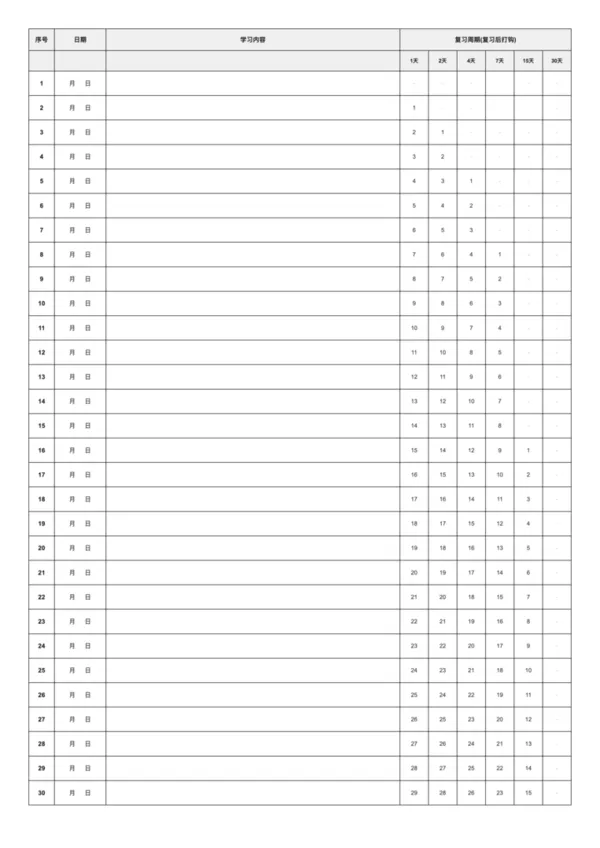
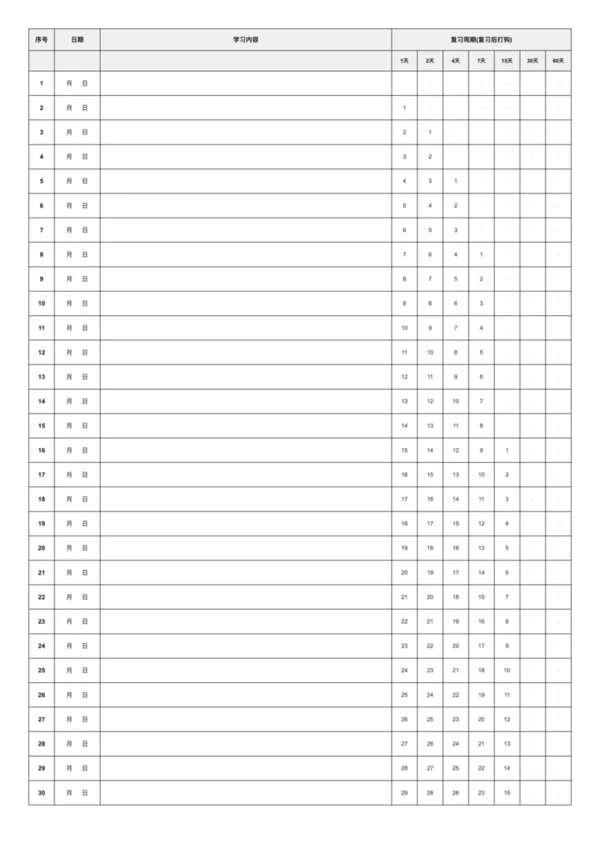
The Ebbinghaus Memory Curve 60-Day template is the ideal choice for long-term learners, carefully designed based on German psychologist Hermann Ebbinghaus's forgetting curve theory. Compared to the 30-day version, the 60-day template adds the 60-day review node to form a more complete long-term memory consolidation system. It includes 7 key review cycles: 1 day, 2 days, 4 days, 7 days, 15 days, 30 days, and 60 days, making it particularly suitable for learning that requires deep memory and long-term retention.

Advantages of the Ebbinghaus 60-Day Review Template

  • Long-term Memory Consolidation: The 60-day cycle ensures knowledge truly converts to long-term memory, resistant to forgetting
  • 7 Review Nodes: One more key review period than the 30-day version for stronger memory effects
  • Deep Learning Support: Suitable for learning complex concepts, skills, and difficult knowledge
  • Scientific Time Management: Avoid over-reviewing or under-reviewing through reasonable review intervals
  • Progress Visualization: Clear progress tracking makes the long-term learning process more rewarding

Choosing Between 60-Day and 30-Day Templates

  • Choose 60-Day Template: Professional certification exams, complex skill learning, important theoretical knowledge, advanced foreign language vocabulary
  • Choose 30-Day Template: Daily course learning, short-term exam preparation, basic concept memorization, general knowledge points
  • Combined Use: Apply different review cycle strategies for content with different difficulty and importance levels

Best Practices for Ebbinghaus 60-Day Review Template

  1. Content Selection: Place the most important, most difficult, or most frequently used content into the 60-day review system
  2. Consistent Recording: Develop the habit of recording learning content promptly to ensure complete review planning
  3. Flexible Adjustment: Adjust review intervals for certain content based on actual mastery levels
  4. Regular Review: Check review progress weekly and set next week's review priorities
  5. Effect Evaluation: Test memory effectiveness through testing or practical application, adjusting learning strategies accordingly

FAQ

The 60-day version allows for tracking a larger volume of study material (e.g., 60 chapters or lists) over a longer period, featuring a more compact layout.
It is designed to fit on A4, but the text is smaller than the 30-day version. For best results, printing on A3 paper is recommended if you find it too cramped.
Yes, simply leave the unused rows blank. The template is flexible enough to accommodate any schedule up to 60 items.
Post the printed chart on your wall. Visually tracking your progress with checkmarks creates a 'chain' of success that you won't want to break.

Related Templates

Ebbinghaus Memory Curve - 30 Days
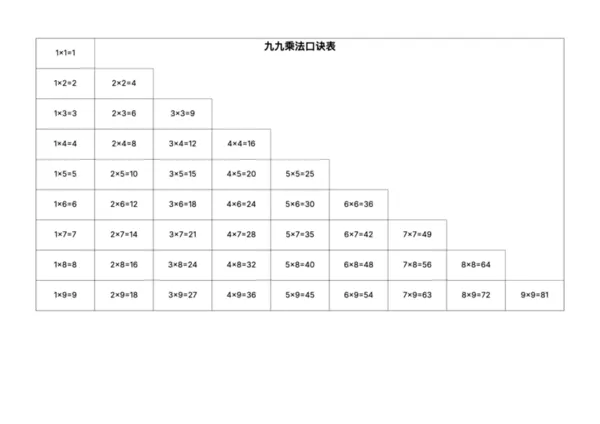
Multiplication Table
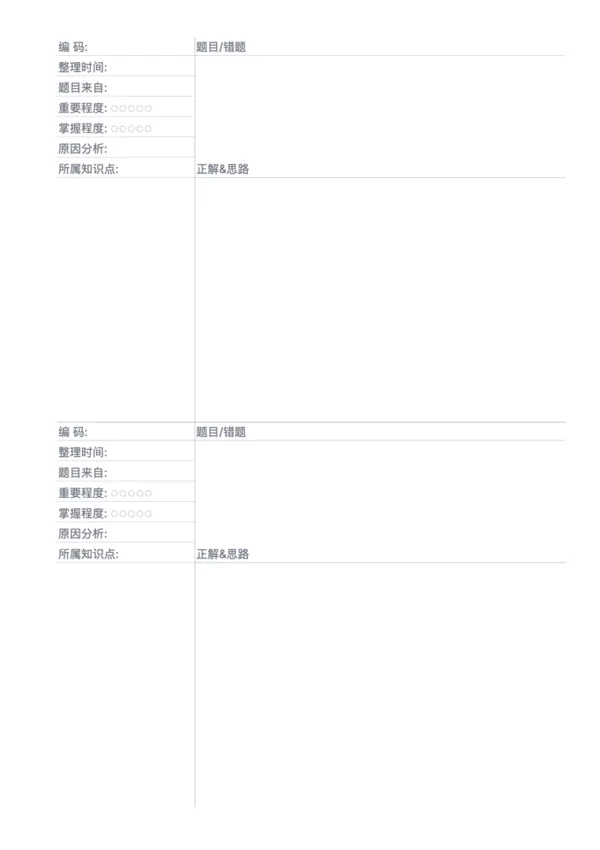
Error Correction Paper - Dual
Error Correction Paper - Single

Related Articles

Parent Essentials: The Ultimate Free Printable Worksheet Collection for Kids (Grid, Pinyin, Error Log & More)
10x More Efficient Than Rote Memorization: Unveiling the Cornell Note-Taking Method and Ebbinghaus's Forgetting Curve (with Free Templates)

Export

Settings
Quick Settings

Recommended Setup

Recommended Setup

For general use, we recommend using default settings on A4 paper. This provides the best balance between usability and print quality.

Adjust the parameters in the control panel to match your specific needs. All settings can be customized in real-time.

Printing Tips

Printing Tips

Paper Selection: For best results, use standard 80-100 gsm copy paper.

Print Quality: Set your printer to 300 DPI or 'High Quality' mode for crisp output.

Test Print: Always print a single test page first to verify settings before printing multiple copies.
OfficeDocPrint

OfficeDocPrint

Printable templates for classrooms, studios, and daily planners.

Product

  • Template Library
  • Changelog
  • OfficeDocPrint Main Site

Resources

  • About Us
  • Help & Feedback

Printable templates for classrooms, studios, and daily planners.

OfficeDocPrint - Privacy PolicyOfficeDocPrint - Terms of Service
© 2025 OfficeDocPrint. All rights reserved.